
 Since its inception people have found many creative uses for Twitter, but to my mind one of the most useful has been as the collective, real-time public notebook for conferences and special events. Smart conference organizers establish and publicize a hash tag for conference tweets, enabling participants to converse about what’s happening and for non-attenders to follow along.
For example, this past weekend the first TEDx conference (a localized version of the famous international TED gatherings) for our local area (the Research Triangle Park of North Carolina) made use of the hash tag #TEDxRTPto aggregate tweets from conference participants. Though I wasn’t able to attend the meeting, I could still follow the highlights through a Tweetdeck column built around the conference hash tag. In addition to as-it-happens impressions, these conference and event hash tag lists usually contain a treasure trove of valuable links to conference- and speaker-related sites and resources. In fact, a conference Twitter stream may be so valuable that you’d like to save it and be able to refer back to it later.
How to Create a Twitter Hashtag Archive
While Twitter’s own search has an abominably short memory, there is a free service called Twapperkeeper that will collect and permanently archive tweets marked with a hashtag (or keyword or Twitter user ID). It’s very easy to use.
1. Log in to your Twitter account, and then go to http://twapperkeeper.com/index.php. Select the type of archive you want to create.

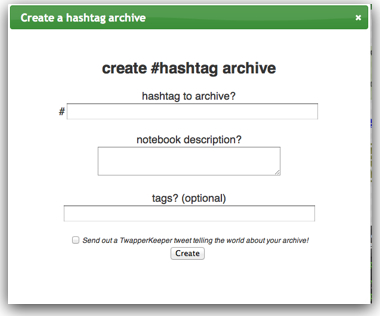
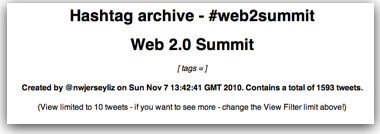
You now have a complete archive of the Twitter stream for your conference hash tag. Even better, Reader will automatically update this archive with any new tweets using the hash tag…forever!
Now that you’ve captured and archived that feed, you can put the power of Google Reader to work for you. Use the “Add Tags” link at the bottom of each post (i.e., tweet) and label the most valuable so you can easily find them later. For example, you might want to tag tweets from people or companies you want to pitch later as “prospects.”
Need more business for your business? Contact Virante Internet Marketing
Can you embed this feed on your site?